Every breach I have investigated in surveillance environments started with something small. A default password left unchanged on a camera. An open management interface exposed to the internet. A seemingly harmless support laptop plugged into the same switch as the recording server. The adversary did not need a zero‑day, just patience and a few sloppy configurations. If you run commercial video surveillance across warehouses, retail floors, offices, or restaurants, you operate a critical system that often sits inside the same network as point‑of‑sale, HR, and building controls. That proximity makes camera infrastructure a high‑value target and a pivot point. Hardening is not a single setting, it is a discipline across design, installation, and daily operations.
This guide distills what actually reduces risk in enterprise camera deployments: how to architect the network, lock down devices, manage identity, monitor at scale, and meet the legal and operational constraints that come with recording people, property, and transactions.
Why camera systems attract attackers
Attackers go where the permissions are. A video management server typically has persistent storage, service accounts, and integrations with identity providers. Many deployments use cameras from multiple vendors, each with its own firmware and web interface. If any component lags on updates or exposes outdated protocols, that weak link becomes an entry point. Once inside, an intruder can pivot laterally, disable recordings ahead of a theft event, or exfiltrate footage that includes customer or employee data.
In retail theft prevention cameras, we sometimes see a separate network for point‑of‑sale but a shared uplink into the same core as the VMS. During one post‑incident review, the attacker exploited an unpatched NVR with a 2‑year‑old firmware image, then harvested stored LDAP credentials to reach the domain controller. The final tally included a week of forensic work, five compromised servers, and a compliance report sent to the insurer. None of that required sophisticated malware, just gaps in basic hardening.
Start with architecture, not settings
Strong cybersecurity for surveillance begins with the way you place and connect the components. If you plan your enterprise camera system installation like any other critical service, you reduce the attack surface before typing a single command.
Segment the network. Cameras belong on dedicated VLANs with east‑west traffic limited to their VMS, time servers, and management plane. Treat each site in a multi‑site video management design as a security boundary. If a camera at the warehouse gets compromised, it should not have a route to the retail floor at your flagship store. Most environments benefit from a hub‑and‑spoke model where branch VMS nodes replicate to a central system over TLS, with firewall rules that allow only expected ports and source IPs.
Plan for identity and trust. If your VMS and cameras support 802.1X and device certificates, use them. At minimum, deploy per‑device credentials and enroll cameras in a certificate authority so you can enable HTTPS without resorting to self‑signed warnings that users click through. Tie administrator access to SSO with MFA. Service accounts should be scoped and audited.
Design for failure isolation. Recording should continue even if the WAN drops. That leads to edge recording on the camera or local NVRs in the warehouse security systems. When link state changes, alerts should trigger, and the system should reconcile recordings automatically when connectivity returns. From a security angle, that isolation also limits what an attacker can touch during an outage when your SOC has less visibility.
Address physical security. It sounds quaint until you see a camera cabinet with an unlocked patch panel and a reachable switch. Lock the enclosures, use tamper‑evident seals, and place critical NVRs or VMS servers inside controlled rooms with access control integration tied to your security team’s workflow.
Device hardening that holds up in the field
Individual camera configuration is where effort often drifts. Different models, different menus, different defaults. The trick is to standardize and template as much as the product lines allow, then validate settings with automated checks.
Change defaults and prune services. Most cameras ship with multiple protocols active. Disable telnet, UPnP, and any vendor cloud access you do not use. If RTSP is required, restrict it to encrypted SRTP or transport within a VPN. Set unique, random passphrases per device. It is tempting to reuse a pattern, but breach investigations routinely find that pattern in plaintext in old tickets or spreadsheets.
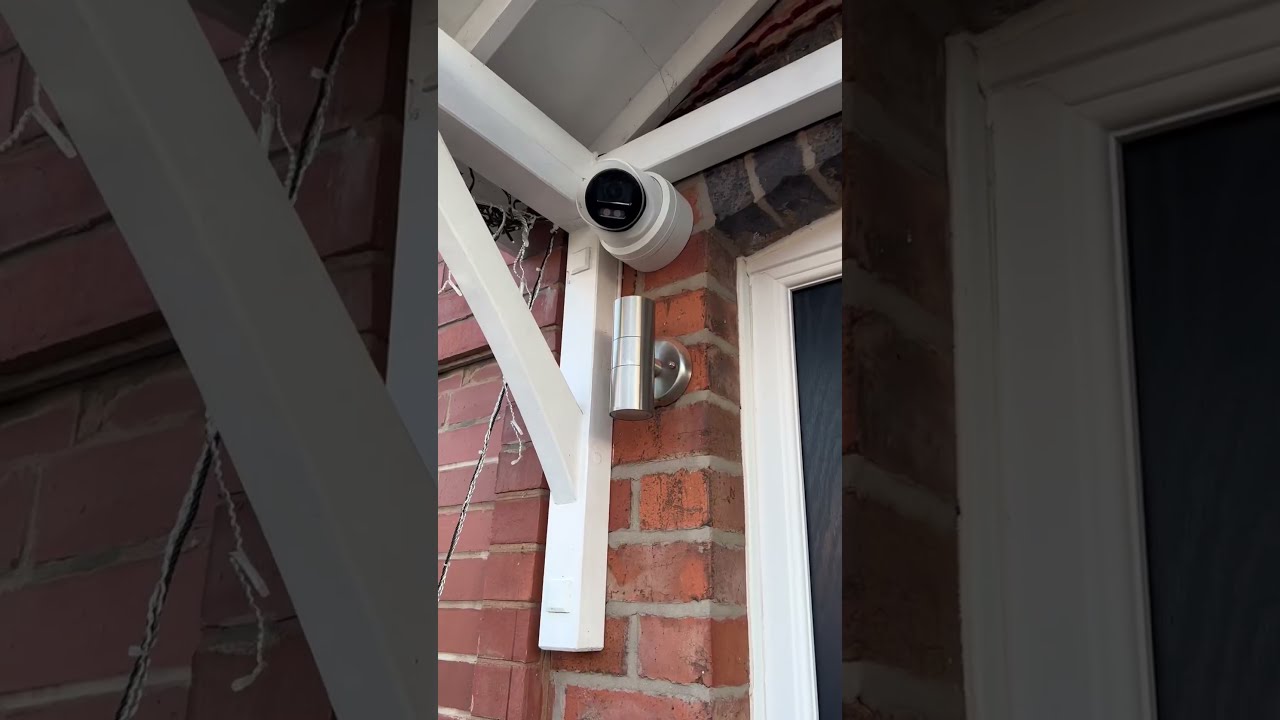
Enable signed firmware and secure boot where available. Many enterprise models support verified firmware. Switch it on. Do not side‑load unsigned images, even for convenience. When a vendor publishes a remediation for a CVE, apply it within a defined window, often 14 to 30 days based on risk. If your cameras lack signed updates or are end of support, plan a replacement cycle. Unsupported hardware is a permanent hole.
Lock down web interfaces. Cameras’ embedded web servers are frequent targets. If your VMS can manage configurations and you rarely need the web GUI, restrict it to a management subnet or turn it off. Where you must expose it, force HTTPS with modern ciphers and disable weak TLS versions. If the model supports IP allowlists, apply them, especially in distributed sites.
Use ONVIF security profiles wisely. With mixed vendors, ONVIF becomes the lingua franca. Make sure both camera and VMS use the highest ONVIF security profile supported, and monitor for devices negotiating down to weaker modes. Document which features you rely on, like event subscriptions or PTZ control, and disable the rest to reduce the attack surface.
Harden time and logs. Cameras and VMS need accurate time for legal reasons and forensics. Point devices at internal NTP servers you trust. Configure syslog forwarding from cameras to a central collector so you can spot brute‑force attempts, configuration changes, or service restarts. In one restaurant chain, a string of lockouts across multiple locations flagged a coordinated attempt to access security cameras for restaurants from a single foreign ASN. The SOC blocked the ASN before any access succeeded.
Identity, roles, and the human layer
Permissions tend to expand until something breaks. Your job is to set narrow roles and revisit them. For CCTV for offices and buildings, security operators need live view and export rights. Investigators may need export with watermarking. IT administrators need configuration access, not necessarily the ability to delete footage. When you inherit an existing VMS, run an access review and expect to cut half the accounts.
Tie access to the person, not the job title. Use SSO with MFA and short session lifetimes for administrative consoles. Only the VMS should authenticate to cameras with persistent service accounts. If field technicians need to log in to a camera, issue time‑bound credentials through a workflow tool.
Pay attention to shared accounts on recording servers. If the vendor requires a local service account, set it as denied for interactive logon and store its credentials in a password vault. Monitor for any interactive use, which usually signals a technician taking a shortcut.
Finally, train operators. The best technical controls fail if someone exports footage to a USB stick and walks it across departments. Establish procedures for footage requests, approvals, and retention periods. Every export should leave an audit trail.
Encryption that is present and verifiable
There are three links to consider: from camera to VMS, from VMS to operator, and at rest. Each needs treatment appropriate to the sensitivity and scale.
From camera to VMS, prefer TLS with device certificates. If your fleet includes legacy cameras without TLS, tunnel them inside site‑to‑site VPNs and plan replacements. For low‑latency environments like parking lot surveillance that rely on multicast, segment the multicast domain and enforce IGMP snooping so packets do not wander.
From VMS to operator, enforce HTTPS for web clients and secure protocols for thick clients. If you allow remote access from home or mobile, require a corporate VPN or a broker with device posture checks. The number of breaches that started with a personal laptop connecting to a VMS interface would make a depressing ledger.
At rest, encrypt the volumes that store footage. Modern VMS products can use OS‑level encryption without performance collapse if you size the hardware correctly. On edge recorders at remote restaurants or small retail locations, choose models with hardware encryption support. Encrypting exports matters too. Package exports in containers that support password protection and integrity checks, and document the process so legal teams understand how chain of custody is preserved.
Monitoring that sees what matters
A mature surveillance operation treats the camera network like any other critical service, which means logs, metrics, and time‑bound alerts. Two types of monitoring give the best return: configuration drift and behavior anomalies.
Configuration drift monitoring checks that each camera runs the approved firmware, configured with the approved options. Tools vary, but even a nightly script that queries ONVIF endpoints and web banners can detect deviation. When a vendor releases a critical patch, track progress to 100 percent across sites and escalate stragglers.
Behavior anomaly detection looks for failed logins, sudden changes in bitrates, stream interruptions, or unexpected reboots. In one warehouse environment, a spike in bitrate and CPU on a cluster of cameras during off hours turned out to be crypto‑mining malware injected through a vulnerable plugin. The cameras kept streaming, but the added CPU caused frame drops that ruined license plate reads at the gate. The anomaly alerts preceded user complaints by a day.
Tie your VMS and network devices into the SIEM. Correlate camera events with firewall logs. If a camera begins talking to an IP outside your allowlist, that should raise a ticket. For multi‑site video management, build per‑site dashboards so a regional manager can see health and risk at a glance without digging into cross‑site noise.
Applying legal and ethical guardrails
The law around monitoring employee areas legally varies by jurisdiction, but patterns exist. You need signage that clearly informs people of recording. You need to avoid placing cameras in areas with a reasonable expectation of privacy, such as bathrooms and locker rooms. Audio recording requires special care; in all the deployments I oversee, audio is disabled by default and enabled only with documented business and legal justification.
Retention policies must match your risk appetite and compliance obligations. Retail locations often keep 30 to 60 days due to theft investigations. Warehouses may keep 90 days to cover accident claims. Some offices keep as little as 14 days to reduce privacy risk, with hold orders placed for incidents. Keep retention consistent across similar sites to simplify administration and reliably estimate storage needs.
If you integrate badge readers and camera bookmarks, be careful with access control integration. Do not build a shadow HR system by logging every doorway with named individuals and indefinite retention. Limit the join data to the minimum required to investigate events and enforce strict role‑based access to that data.
Finally, keep export workflows tight. When footage leaves the VMS, your control drops. Watermarks that embed case numbers and user IDs help, as do agreements with third parties that limit re‑use and require secure deletion after the case closes.
Special cases: retail, restaurants, warehouses, and office campuses
The basics stay the same, but different environments add twists to the hardening plan.
Retail theft prevention cameras often face public networks for guest Wi‑Fi and marketing displays. Keep those segments separate from surveillance, even if they share the same access points or switches. POS systems are a crown jewel, so avoid any bridging or shared service accounts. Coordinate with loss prevention so they understand the limits: operators should not install browser plugins or external software on VMS clients to extract reports. Every extra plugin is an attack surface.
Security cameras for restaurants face grease, temperature swings, and frequent maintenance by third‑party contractors. Physical tamper detection matters. Cameras above the line or in the prep area should have secured conduits, and the NVR belongs in a locked back office cabinet with short, labeled patch runs. From a cyber perspective, many restaurants rely on managed routers with limited configuration options. Insist on provider firewalls that support VLANs and ACLs, or deploy a small on‑prem firewall for the surveillance network, then peer it to the provider router. Do not expose the VMS cloud interface to the open internet simply because the ISP cannot configure a proper ACL.
Warehouse security systems need coverage at loading docks, yard perimeters, and interior aisles with high mounting points. Those long cable runs encourage unmanaged switches in ceilings, which become a weak link. Where you cannot avoid them, use industrial switches with 802.1X and disable unused ports. Outdoor cameras should be on PoE from surge‑protected switches, and grounding should be verified. On the cyber side, warehouses frequently host third‑party scanners and RF devices. Keep that RF infrastructure and its controllers off the camera VLAN to avoid lateral movement through poorly secured IoT devices.
CCTV for offices and buildings often ties in with building automation. Avoid linking surveillance to the same BACnet segment as HVAC and elevator controls. If you integrate video call‑up on door access events, use a broker that enforces least privilege instead of a broad API key that grants access to all streams. Executive areas frequently request privacy features, such as occlusion zones. Document those zones and review them periodically so they do not accidentally hide sensitive areas during layout changes.
Parking lot surveillance adds another wrinkle: bandwidth variability. Cameras with analytics for license plates and vehicle detection may require higher resolution and frame rates at night when noise increases. If you backhaul streams to a central VMS, test how the system behaves under network congestion. Rate‑limit per camera and use adaptive bitrate where offered. From a security standpoint, parking cameras are accessible and get abused for do‑it‑yourself resets. Lock housings, use tamper alarms, and maintain an inventory of MAC addresses so you can detect an unauthorized device swapped onto a cable.
Vendor selection with security in mind
Security does not appear after purchase. It is baked into the vendor’s track record, their secure development lifecycle, and their posture on disclosure. When evaluating suppliers for an enterprise camera system installation, ask direct questions.
How fast do they release firmware fixes after a published CVE? What is their average time to remediate? Do they support signed firmware, secure boot, and modern TLS? Can they provide a software bill of materials for their camera firmware and VMS releases? Do they have a standing bug bounty or coordinated disclosure program? How long will the model you plan to deploy receive security updates? Five years is a common commitment for enterprise‑grade hardware. Less than three years means you will be replacing devices mid‑contract.
Look at manageability. At scale, you need APIs or central tools to push configurations, rotate credentials, and verify compliance. If the vendor’s answer is “log in to each camera’s web interface,” you will fall behind on hardening within months. For multi‑site video management, test the vendor’s federation features across real WAN conditions and verify that security controls remain enforced across tenants and regions.
Finally, test with your tools. Run your vulnerability scanner against lab devices. Review the logs they emit and the formats they support. Check that their SNMP implementation is v3 with auth and privacy, not v2c. Inspect their password policy enforcement. Weak policy equals weak fleet.
Operations you can sustain
The best hardening plan collapses if it cannot fit into the way your team works. Build a cadence of tasks that match your headcount and tooling.
- Quarterly: review firmware levels, run access recertification in the VMS and identity provider, and test restores by retrieving a random archived clip from each site to ensure encryption and retention behave as designed. Monthly: apply available security updates to VMS servers and NVRs during staged maintenance windows, rotate service account passwords where automation is in place, and reconcile any devices that fell out of monitoring. Weekly: review SIEM alerts tied to camera authentication failures, configuration changes, and unusual outbound traffic patterns; spot‑check new installations against the hardening checklist before sign‑off. Daily: ensure all sites report healthy recording, check for storage thresholds, and confirm that last night’s exports followed the documented workflow with proper case notes.
Codify these in runbooks. Assign owners. If a task lands on “security” without a named person, it will slip the week the team fights a separate incident.
Handling third parties and remote hands
Most enterprises rely on integrators for installation and sometimes for remote support. That reality can improve security if managed, or punch holes in it if not.
Insist on contractor identity management. Integrator staff should have named accounts through your SSO with MFA, not shared vendor logins. Access should be time‑boxed. When someone leaves the integrator, their access should vanish without a ticket. Audit that quarterly.

Define a secure support path. If the integrator needs to access a VMS for troubleshooting, require them to use your remote access method with logging, not their own remote desktop tool. For on‑site work, issue temporary credentials and prohibit use of personal laptops on your surveillance VLANs. Many breaches start with a well‑meaning tech running a vendor utility from a thumb drive found in a service bag.
Write security requirements into contracts. Firmware currency, encryption standards, cable labeling, cabinet locks, and disposal of replaced storage all belong in the statement of work. If replaced drives leave the site, they should be wiped or destroyed according to your policy, with a certificate of destruction where appropriate.
What to do when something goes wrong
Despite your best efforts, an anomaly will appear. A camera goes offline, then comes back with a different certificate fingerprint. The VMS logs show failed admin logins from a host in a site that is supposed to be isolated. Treat these as incidents, not tickets.
Isolate first. Quarantine the device or segment. Do not reboot blindly. Preserve logs. If you maintain port mirroring or packet capture capabilities on the surveillance switches, use them to capture a window of traffic for analysis.
Establish the potential blast radius. Does the device have credentials that could be reused elsewhere? Did it have routes to sensitive networks? Check for lateral movement by scanning for new connections in your firewall and SIEM logs.
Communicate with stakeholders. In environments with regulatory or contractual obligations, an incident involving surveillance may trigger internal reporting timelines. Legal, HR, and facilities will want to know whether cameras are considered trustworthy during the window in question.
Eradicate and restore from known good states. Replace firmware with a verified image. Rotate affected credentials. Rebuild the VMS server if it was in scope, rather than trying to nurse it back to health. Only after clean rebuilds and validation should you return devices to service.
Finally, update your hardening baseline. Each incident reveals a missed control or an unmonitored path. Bake that lesson into templates and training.
Budgeting for security without stalling the project
Security competes with visible features, and camera projects often carry tight budgets. Frame the costs against known risks. A thoughtful program allocates funds in a few places: hardware that supports security controls, time to configure and test https://troygjyb803.trexgame.net/ai-in-video-surveillance-how-machine-learning-is-redefining-security them, and ongoing monitoring licenses.
When forced to prioritize, spend first on segmentation and identity. A robust firewall and manageable VLAN design reduce risk more than the newest analytics add‑on. Choose cameras that support signed firmware and TLS, even if they cost 10 to 15 percent more, because those features buy years of reduced exposure. Invest in a central management platform that can enforce configurations across sites; without it, labor costs balloon and compliance degrades.
Plan lifecycle. Set aside a modest annual amount, often 8 to 12 percent of hardware value, to replace end‑of‑support devices before they become liabilities. During procurement, prefer models with published support windows and clear firmware roadmaps.
The payoff: resilient surveillance that stands scrutiny
Hardened camera systems do more than keep attackers out. They make your operations predictable. When a theft occurs in a parking lot, you can retrieve footage with confidence that timestamps align and exports carry watermarks. When a regulator audits your CCTV for offices and buildings, you can demonstrate retention policy enforcement, access control, and chain of custody. When a new warehouse comes online, the template deploys with secure defaults, and the SOC sees it in their dashboards the same day.
The work is not glamorous, but it is measurable. Credentials rotate on schedule. Firmware levels track to green. Alerts fire for real issues, not noise. Integrators follow the playbook. Operators trust the tools. That is what enterprise‑grade looks like in commercial video surveillance: not just more cameras or higher resolutions, but a system that holds up under pressure, across restaurants, retail, parking lots, and multi‑site campuses, with security built in rather than bolted on.